Labs: find which force is holding you back
Three labs turn the triad into a diagnosis of your own business: one paid rank check, then two free readings of the market around it.
Labs
Lab 3.1 — Add one keyword and check it once
Lab · Where: Rankings (
/b/{businessId}/rankings) · Cost: paid · Time: ~5 minYou need: Lab 0.3 — a business added.
- Open Rankings. In the add form, type one keyword a real customer would use — a service plus a place, e.g.
emergency plumber tampere. Not your business name. - Leave Search from, Language and Radius at their defaults (business address, 3-mile radius). Note that the three options exist; they are why two tools report different ranks for "the same" keyword.
- Press Track. The price shown on the button is for adding the keyword; the app then runs the first rank check straight after it, which is a second metered action with its own price. Two charges, one press — worth knowing before you press it a dozen times.
- Read the result on the detail panel: a position (
#4) orNot ranked, and a movement line readingFirst check. Then read the Who ranks above you card — Lab 3.2 uses it. - Now press Check now once. This time a one-sentence outcome appears under the button, which the initial Track does not print. That sentence is how you tell "the check ran and found nothing" from "the check failed" — on the panel alone the two look identical.
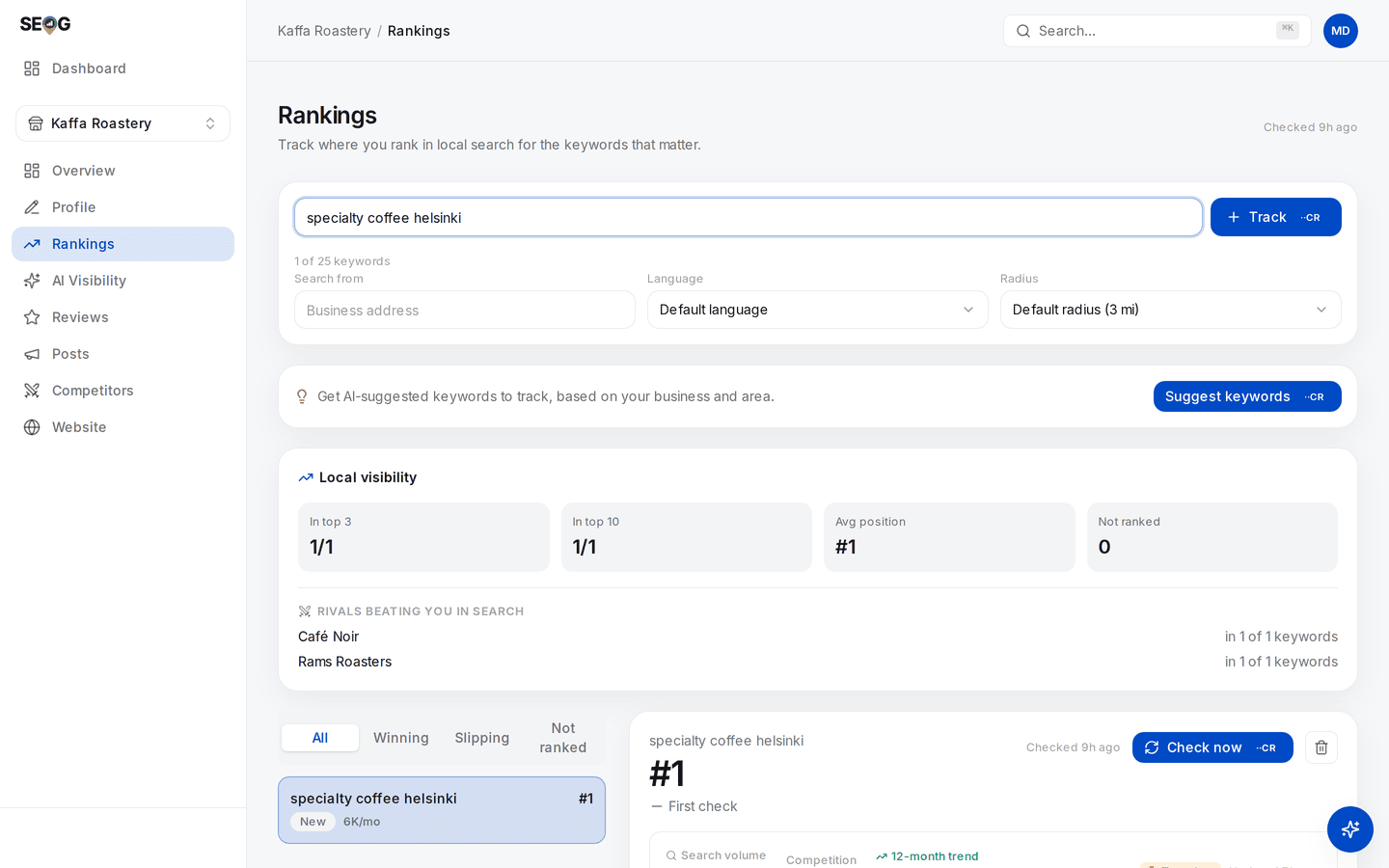
The whole lab on one screen. Notice the row under the keyword — Search from, Language, Radius — and the price sitting on Track before you commit. The #1 below belongs to those three settings and to no others.
What good looks like. Either a position, or Not ranked with a line naming who holds #1. Both are successful checks. The check is capped at the top 20, so "not ranked" means "not in the top 20 from that point", not "nowhere".
If it went wrong. Three realistic causes. The keyword was too broad or too branded. Or the origin defaults to the business address, so a business at the edge of the city it serves looks worse than it is — re-add it with a Search from label naming a district. Or it is a pure service-area business with a hidden address, which rank checks structurally cannot find, in any tool (Service-area businesses).
What you just learned. A rank check is a live search from a specific point, in a specific language, at a specific radius — all parameters you chose. A rank quoted without them is not a measurement.
Lab 3.2 — Rank the market on prominence before you look at position
Lab · Where: Rankings → your keyword → Who ranks above you (
/b/{businessId}/rankings) · Cost: free · Time: ~10 minYou need: Lab 3.1.
- In a spreadsheet, write down every business in the Who ranks above you card: name, star rating, review count. Add your own business as a row.
- Cover the position column and sort by review count, descending.
- Write your prediction of the actual pack order from rating and review count alone, then uncover the positions and compare.
- For every business ranking higher than its prominence predicts, write one sentence naming the likely reason — usually distance (closer to the search point) or relevance (tighter category match).
What good looks like. A short table where most of the order is explained by review volume and rating, and the exceptions have a named cause. You should now be able to say which force is holding you back.
If it went wrong. A missing card means the last check found nobody above you, or returned nothing. If every review count in the market is in single digits, the ordering is noise — prominence differentiates weakly in thin markets.
Going further. Once you track competitors, the Vs local market strip on the overview plots you against the market average and the best rival on rating, reviews and photos. Until then it shows a clearly-labelled example rather than your data — worth knowing about any dashboard. Reading a competitor off their public data does this properly.
What you just learned. Prominence has public proxies, and reading them first stops you misdiagnosing a distance problem as a reputation problem. It is also the method for sizing up any market you have no access to.
Lab 3.3 — Relevance audit: your category against the pack's
Lab · Where: Profile (
/b/{businessId}/profile) plus Google Maps in another tab · Cost: free · Time: ~15 minYou need: Lab 3.1.
- Open Profile. At the top, next to the status pill, is your primary category. Write it down exactly.
- In Google Maps, look up each business from your Who ranks above you list and read the category line under its name.
- Tabulate: business, position, category.
- Answer in writing: do the top three share a primary category, and is it yours?
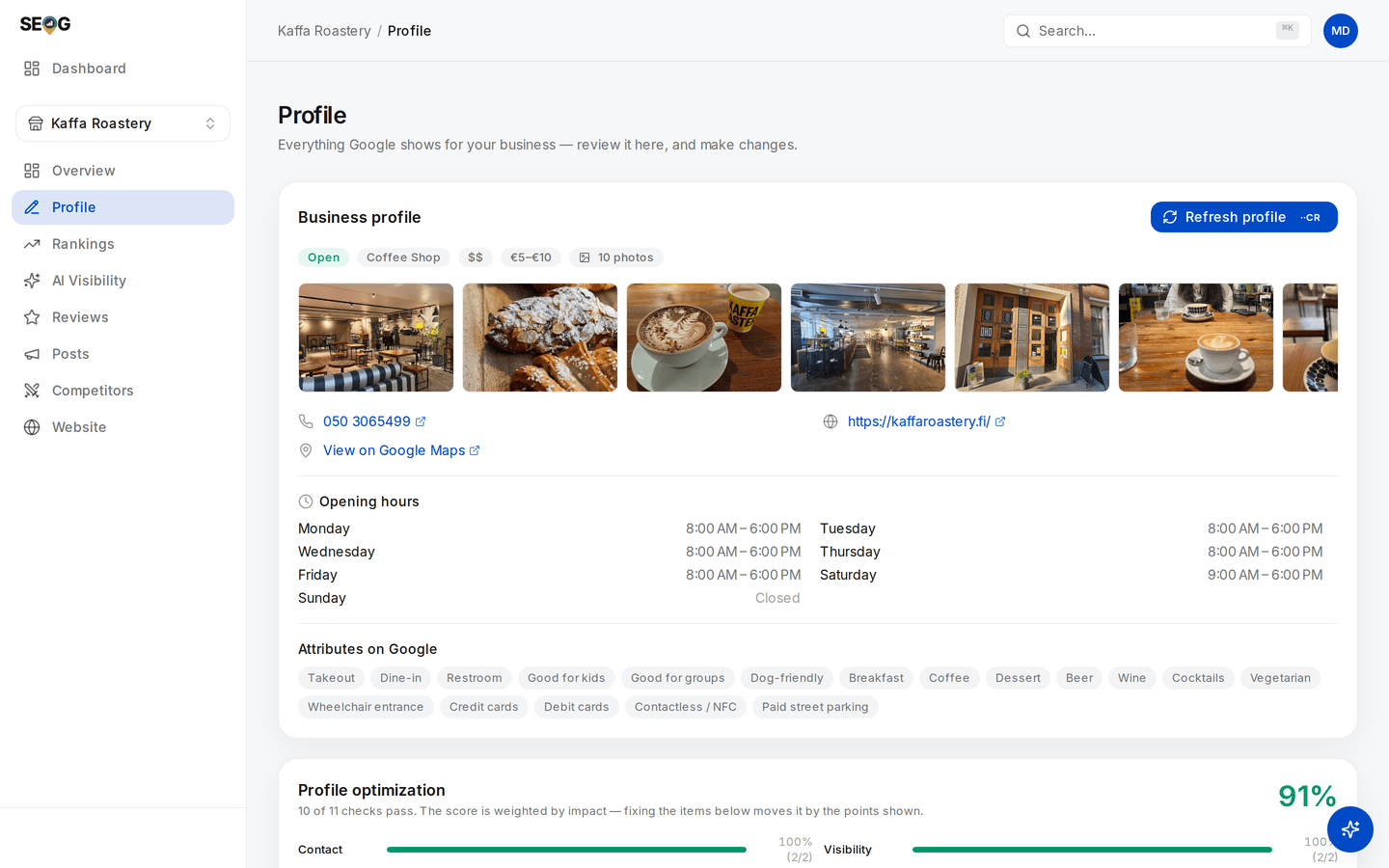
Step 1 on screen: the pill row under the heading — Open, then the primary category, Coffee Shop. That chip is picked from Google's fixed list rather than typed, which is what makes it legible to a machine in a way a free-text description never is.
What good looks like. A four-row table whose category column is nearly uniform. That uniformity is the point: Google telling you, free, what kind of entity it believes answers this query.
If it went wrong. Some listings carry a category that reads oddly — the list is fixed, and the closest option is sometimes a poor fit. If the pack's categories are scattered rather than uniform, your keyword is ambiguous, which is a finding in itself and a reason to reconsider it.
What you just learned. Relevance is legible from outside. The pack is a live answer key for what Google thinks the query means, and comparing your primary category against it is the cheapest diagnostic in local SEO. If you are the only pack member with a different category, you have found your first real problem.
Without SEOG. All three labs work by hand: an incognito window with a location override in your browser's dev tools for the rank check, Google Maps for categories and review counts. Same data. What you lose is the record — you cannot see movement you did not write down. Doing it without SEOG is the long version.
Common mistakes
Quoting "proximity is 55% of local ranking" as if it were measured. It is a poll of 47 practitioners, repeated everywhere without its method because it has none. Read it as expert consensus. Do not put it in a client deliverable as a statistic.
Trying to fix distance. Virtual offices, a colleague's home address, a mailbox in the target suburb. It works until it does not, and the failure mode is losing the listing. If proximity is genuinely the constraint, the honest answers are a real second location or a prominence programme that extends your range.
Assuming the AI answer obeys the same forces. A business can be invisible in the map pack two miles out and named in an assistant's answer from across the city, and vice versa. Different machines, different inputs.
Adding categories to widen relevance. More categories feels like more coverage. It dilutes the primary signal, and categories that do not describe what the business does are a guideline violation. Fix the primary category first; add secondary ones only where the service is genuinely provided.
Check yourself
Answer these against your own practice business, in writing.
- Which force is your binding constraint right now? A defensible answer sounds like: "relevance is fine — my category matches the pack; my review count is a third of the market average, so prominence is the constraint."
- A competitor ranks above you at your own address. Name the two likeliest explanations and how you would tell them apart. (Prominence, or a tighter category match. Lab 3.2 separates them; if their review count is comparable to yours, look at category next.)
- Why can a business rank #1 at its front door and vanish two miles away with nothing wrong with the profile? (Distance applies per search point, and prominence sets how far your range extends. In the largest published study only about 56% held #1 even at their own address.)
- A tool reports your rank for "dentist" as 4. What three parameters must you know before that number means anything? (Where the search ran from, in what language, and how deep the tool tracks before calling you "not ranked".)
- If proximity barely affects position inside an AI answer, what does? (Relevance and prominence signals — entity data, reputation, which sources the engine cites. Part III measures it; nobody should have a confident number yet.)