Labs: triage, the identity pack, and the outage protocol
All three of these are things you want built before the morning you need them. Run them on a healthy listing, while nothing is on fire.
Labs
Lab 24.1 — Run the absence triage on a listing that is fine
Lab · Where: your browser and Overview (
/b/{businessId}/overview) · Cost: free · Time: ~15 minYou need: your practice business added (Lab 0.3). Owner access (Lab 0.4) makes checkpoint 3 possible.
- In a private window, search the exact business name plus the city. Record whether a knowledge panel appears, and screenshot it.
- In Google Maps, search the exact name plus the street. Record whether the pin is there, and whether the listing carries "Temporarily closed" or "Permanently closed".
- Open the profile in Google's own dashboard. Record the state word against the location — verified, pending, suspended, or a prompt to verify.
- In the app, open Overview and press nothing. Read the Synced stamp in the header, the rating and review count on the stat row, and the Marked operational row in the audit.
- Write the four checkpoints into a one-page template with blank fields — what you fill in at 8am on the day it matters, when you will not be thinking clearly.
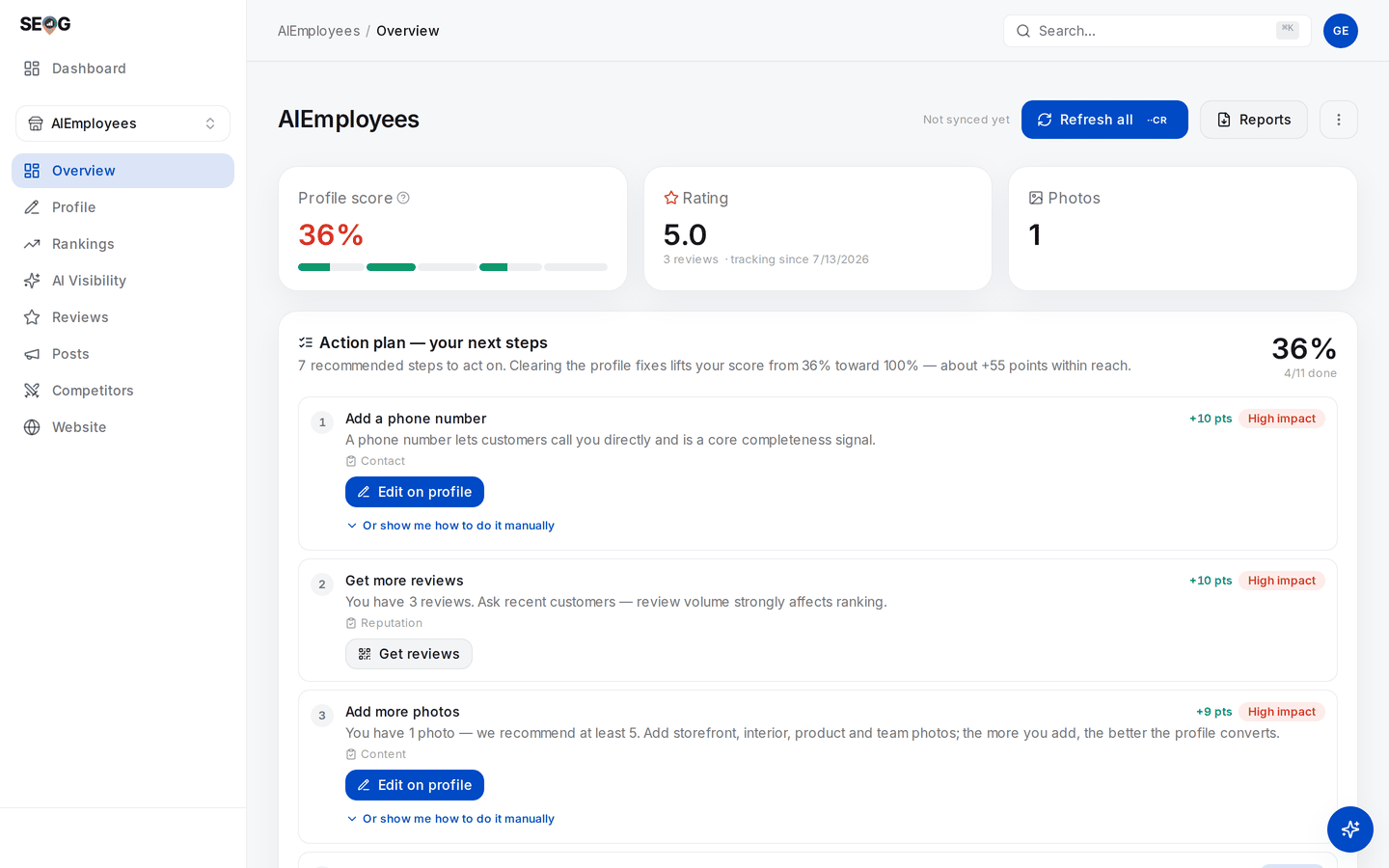
Checkpoint 4, on a connected profile. The score, the rating and the review count are all read from the stored copy, and the stamp beside Refresh all is the only thing on the page that says how old that copy is — nothing here goes out to Google and looks for the listing, which is why nothing here can see a suspension.
What good looks like. Four filled checkpoints for a healthy listing, so you know what "fine" reads like at each one. Most people have never looked at checkpoint 3 on a working profile, and so cannot recognise a changed one.
If it went wrong. You searched a service term instead of the name: that measures ranking, not existence. No dashboard access means checkpoint 3 is closed to you — write that in the client file, because it is a real gap in what you can diagnose (Set up your workbench has the public-versus-owner split).
What you just learned. Absence has at least six causes demanding different actions. Only the dashboard sees a soft suspension, and stored data sees none of them.
Lab 24.2 — Build the identity pack before you need it
Lab · Where: Overview then Profile (
/b/{businessId}/profile) · Cost: paid · Time: ~30 minYou need: Lab 0.4 (the Google Business Profile connected) and Lab 9.1.
- On Overview, press Refresh all in the page header — a priced re-pull of the profile fields and reviews. The pack must be built from what Google holds today, not from a mirror captured in March.
- Open Profile. Copy verbatim into a text file: business name, the address as displayed, phone, website, opening hours, open status, the text under Currently on Google, and the photo count.
- Add what the app cannot hold: photograph the exterior yourself with permanent signage and the street both visible, and the interior; collect the lease or a utility bill, the business registration, a trade licence if the category is regulated, and vehicle signage for a service-area business.
- Check every document against the profile character for character.
LtdversusLimited,StversusStreet, a suite number in one and missing from the other — each is a weakness in a future appeal. - Diff the pack against the website's contact page and the main directories from Lab 12.1, then save the folder as
businessname-identity-pack-YYYY-MM-DDalongside the baseline from Lab 7.3.
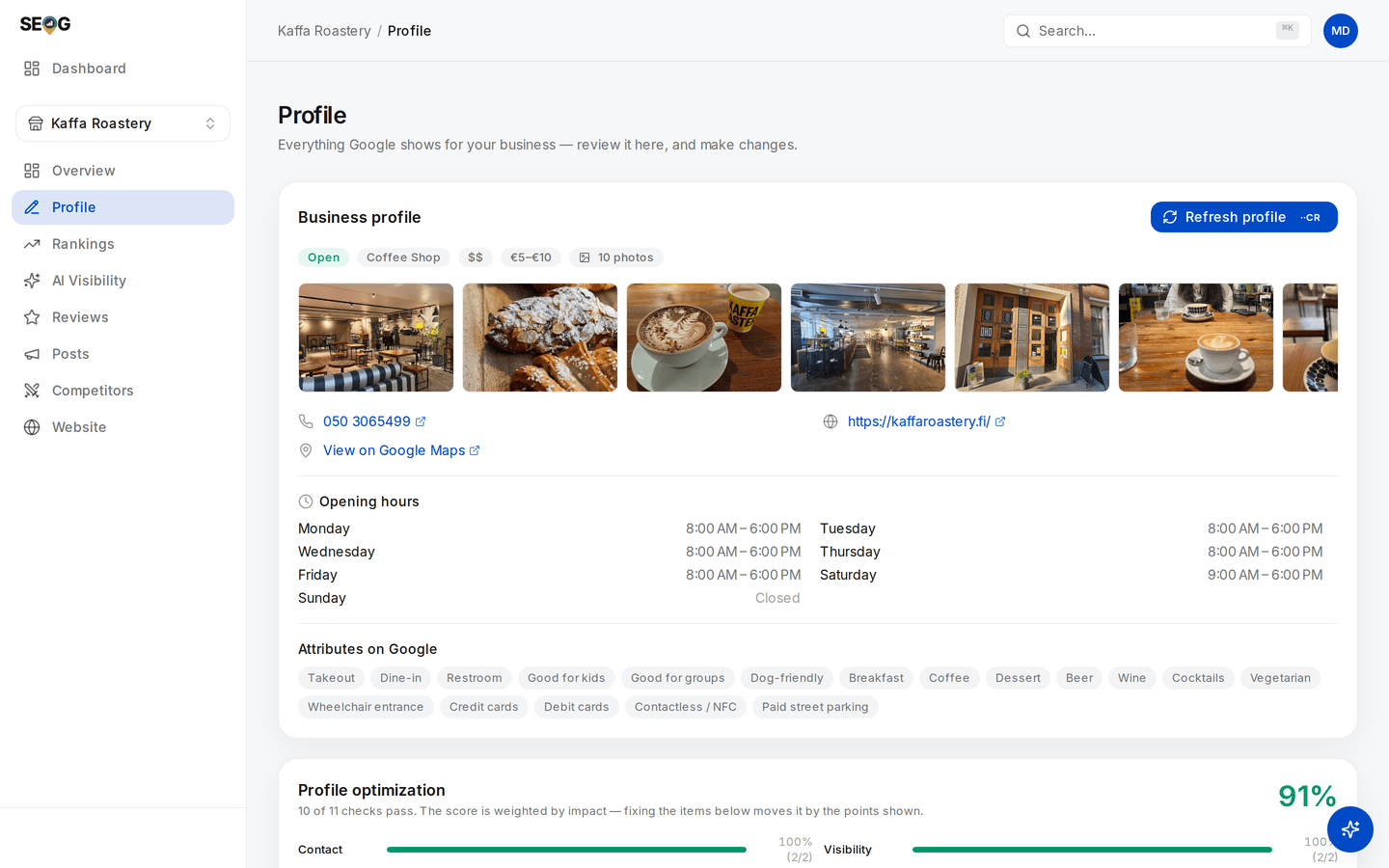
Step 2 is a transcription job off this screen: open status, category, photo count, phone, website, hours, attributes. Copy them character for character — St against Street between the profile and your lease is exactly the mismatch an appeal turns on.
What good looks like. A dated folder in which every profile field is a verbatim copy of what Google had that day, with no mismatch between the profile, the documents, the site and the main citations.
If it went wrong. The description reads back blank or unfamiliar on an unconnected profile — public data does not carry the owner's text. If Refresh all changed a field you did not, that is information rather than an error: someone else edited the profile, or Google accepted a user-suggested edit.
What you just learned. A reinstatement pack is built from evidence that has to exist before the suspension. The photograph you will be asked for is of the sign that came down last month.
Lab 24.3 — Write the outage protocol and pre-date the annotation
Lab · Where: your own notes · Cost: free · Time: ~20 min
You need: Lab 24.1, Lab 24.2, and the change log from Lab 17.4.
- In the change log, add a row type
OUTAGEwith four fields: start date, end date, kind (pending / soft / hard), link to the evidence. - Write the first-hour protocol as five numbered lines: who runs the triage, the freeze-all-edits rule, who tells the client and in what words, where the pack lives, who files. Name people, not roles.
- Write the annotation rule in one sentence — suggested: any rank check, grid scan or report dated inside an OUTAGE window is labelled at the point of use and never deleted.
- Write the three things you will not do: no second listing, no second appeal from a second account, no edits while the listing is pending. Put the protocol in the folder with the identity pack.
What good looks like. A one-page document a colleague could execute without calling you, and a change log with somewhere to put an outage.
If it went wrong. If step one is "file the appeal", reorder it — diagnosis and correction come first in every case.
What you just learned. An outage is two events at once: a business emergency and a measurement artefact. Handling the first and forgetting the second leaves a chart nobody can read six months later, including you.
Without SEOG. Nothing here needs a platform: the triage is a browser and the owner dashboard, the pack is a folder, the protocol is a page of text. What a tool contributes is a dated record of the profile as it was and the edits you applied — exactly the material an appeal is built from. Doing it without SEOG has the manual equivalents.
Common mistakes
Appealing before correcting. If the listing still breaks the guidelines when it is re-examined, the answer is the same and you have spent your strongest submission. Find the violation, fix it, then file.
Creating a new listing to get back online. The most natural reaction and the worst available move: you now have a duplicate, which is itself a violation and complicates the appeal for the original. The revenue you save in week one costs you the profile the reviews are on.
Reading an outage as a ranking result. A suspension-shaped crater gets attributed to SEO work by whoever reads the chart next — including you, in six months, with no memory of the outage. That is what the annotation rule prevents.
Treating reinstatement as recovery. The listing being back starts the measurement rather than ending it. "We recovered", said on the day it returns, will be contradicted by the next fortnight of data.
Check yourself
Answer against your own practice business, in writing.
- A client says they have disappeared from Google. Name the three checkpoints you run before saying anything, and which one distinguishes a soft suspension. (Name-plus-city in a private window; the Maps listing; the owner dashboard. Only the dashboard — publicly, a soft-suspended listing looks normal.)
- Which of your instruments would notice a hard suspension, and which would tell you the business is fine? (Anything that goes out and looks: a rank check, a grid scan, your own eyes. Anything from stored data — profile score, audit, score trend — keeps reading the preserved copy, and a refresh will even stamp a fresh sync time.)
- You changed the phone number six weeks ago and the listing suspended yesterday. What can you conclude? (Very little without a change log. Trigger and enforcement are routinely weeks apart, so the question is what else changed in that window — and if you cannot answer it, that is the finding.)
- A bulk holiday-hours update across a portfolio starts failing partway through. What is the mechanism, and the risk beyond the failure? (Ten writes per minute per profile, shared across every kind of write. The risk is the partial state: some profiles updated, some not, no record of which — see Write limits and failure modes.)
- The listing is reinstated on the 12th. What do you tell the client that day, and what do you hold back? (That day: it is back, and here is what returned with it. Held back: any claim about recovered position — that needs a fortnight of readings against the pre-suspension baseline.)